
Originally published as Post-Frame Software: What Can it Do For You?
Post-frame construction has been around for many years, often employed by farmers for their own use and builders for agricultural sheds and barns. For most of that time, there were no handy visualizers to help builders sell their services to customers. The customer stipulated what they wanted, and the builder hand-drew it and figured out what he needed to build it. He added up all the component costs, added labor costs, and finally he had an estimate for the customer. It seems simple and straight-forward until you realize that with the next estimate, the builder had to start the whole process again from scratch, spending several hours generating each estimate and proposal. Meanwhile other proposal requests piled up. On top of that, many of these prospective customers went with a competitor, possibly one who got back to them sooner. Eliminating the wait time for the customer helps many builders to make the sale. Let’s consider the features and benefits of some of the leading software available for design and estimation.
Construction Maestro
Design and Visualizer
This computer-based software (internet not required) from Symun Systems [https://www.symun.com/] helps the builder design a building in a fraction of the time. The builder can customize the building with numerous options including customized post spacing, varied roof pitches; and gable, gambrel, scissors, or steel truss systems. The intuitive, step-by-step interface makes buildings easy to design along with follow-up changes. The software also allows for the easy creation of multiple designs of the same building with the estimate copy feature. The visualizer draws two 3D perspective views, from one side then the other, and 2D vector images, avoiding pixelated likenesses.
Estimates
The software then produces the estimate based on what the builder specifies for materials. The software comes with 77 metal companies’ products pre-loaded. Pricing can be updated quickly in Maestro using the spreadsheet provided in the software to send to the builder’s supplier. The builder can select very specifically what they want, the brand, style, size and color of metal panel, for example. Just recently, roll-up doors from DBCI and Trac-Rite have been added to the vendor list. If a builder prefers, they can specify a supplier that is not pre-loaded in the software. Construction Maestro has a fully dynamic product setup feature that allows the user to add, update, or delete products they do not use.
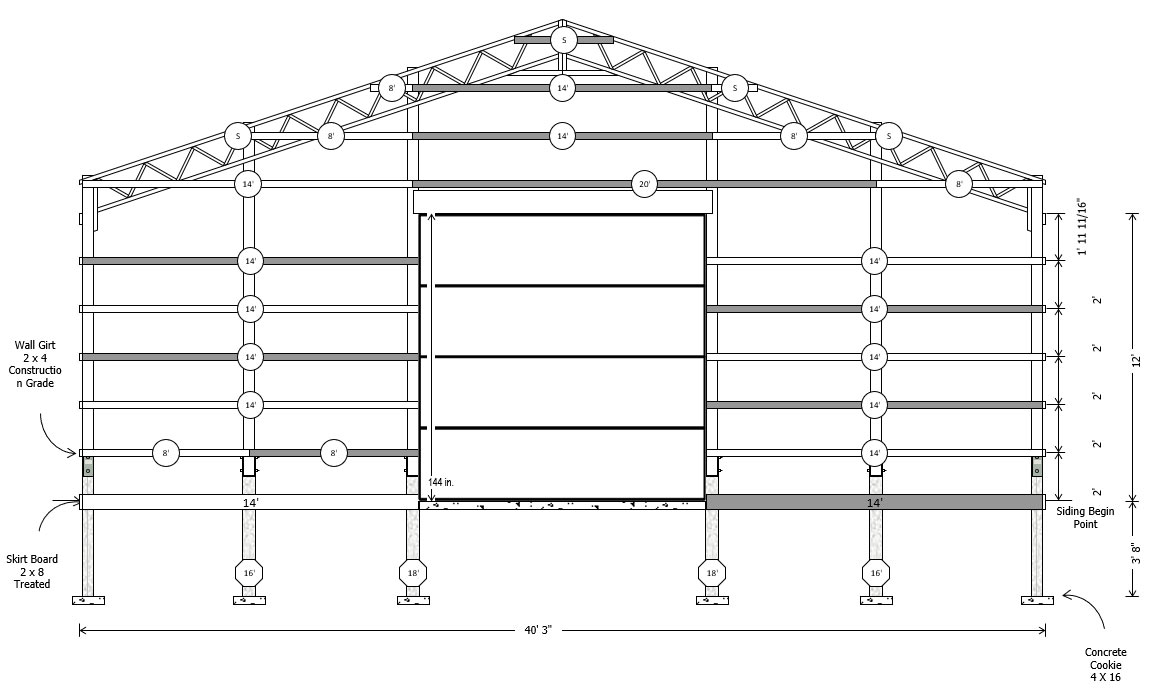
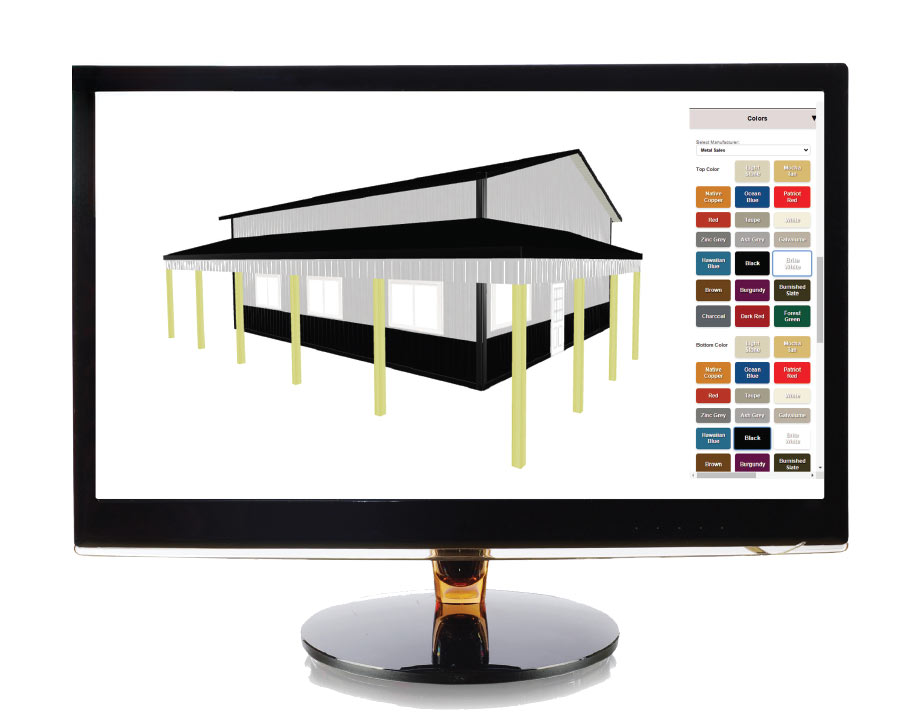
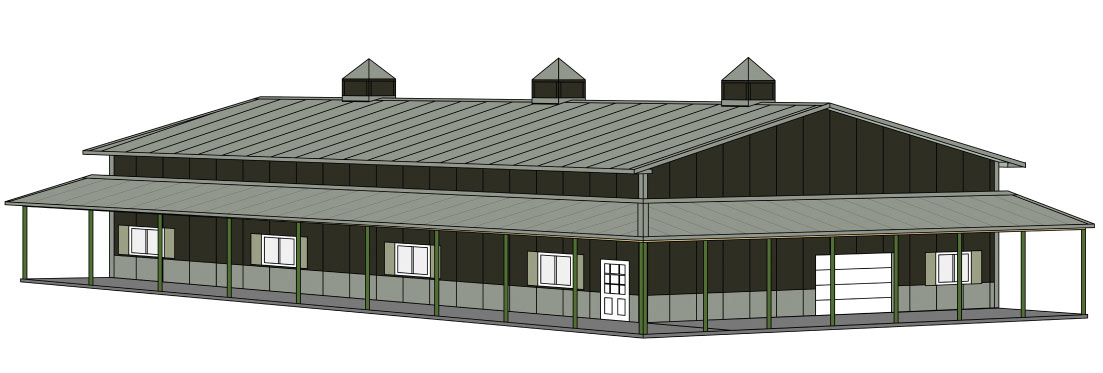
Examples of the Construction Maestro 6.0 visualizer.
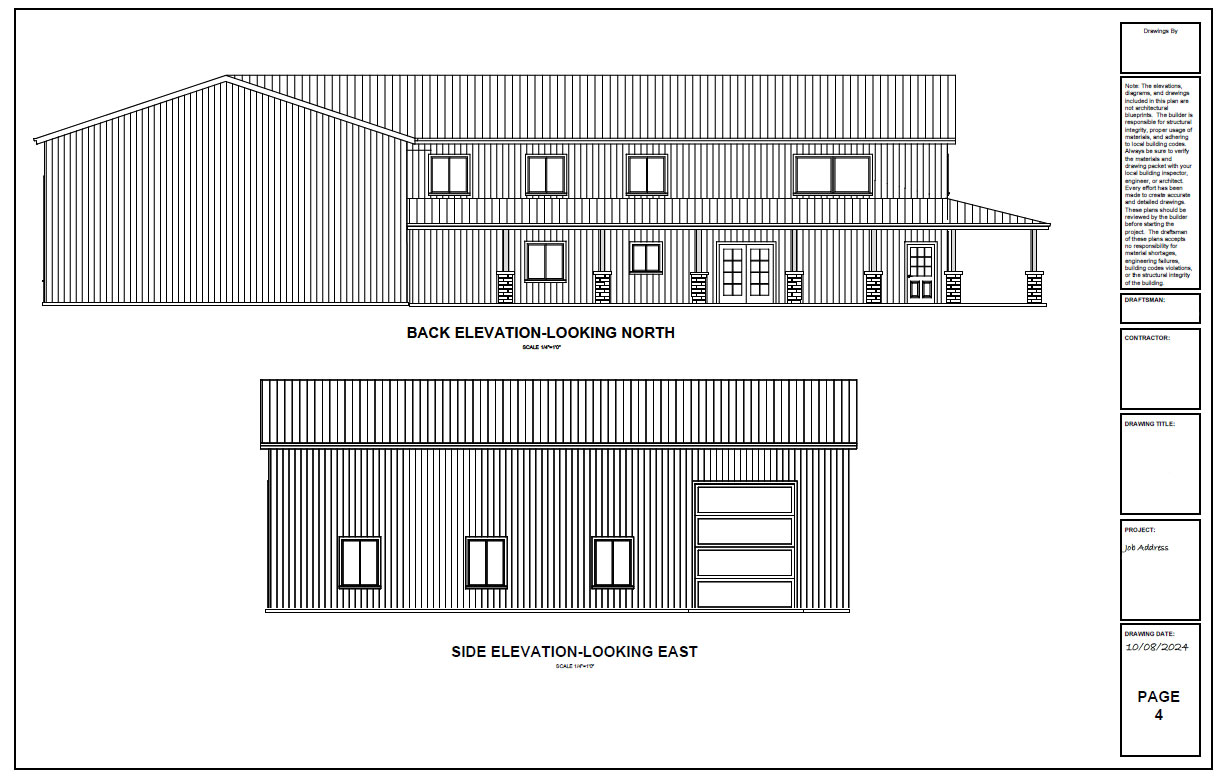
Examples of the Construction Maestro generated pages. Courtesy of Symun Systems
Documentation
The software produces over twenty types of documentation for each project, including pull lists, component layouts, and a product order to email to the vendor. The document package includes:
• Quotation Page
• Categorized Materials List
• Materials Pull List
• Pole Layout/Floor Plan
• Wall Girt/Stud Frame Views
• Labeled Cut List
• Plywood Layout
• Purlin/Truss Layout
• Steel Wall Layout
• Steel Roof Layout
• Steel Report
• Steel Order Form
• Steel Panel Gable Detail
• Steel Component/Application Details
• Multiple Cross Section Details
• 3D Renderings
• Final Elevation Views
• Overhang Detail
• Header Details
• View and Print Imported Truss Drawings Provided by Truss Company
• Cover Sheet
Templates
Templates are a powerful feature that allow the user to pre-load the specs of a building design to save time, including commonly used components to minimize the number of selections for a given estimate. Templates aren’t pre-loaded in the software as the selections are builder specific. However, they are easy to create. Estimates are easy to create but even easier and faster when made from a template said Mike Rinks, co-owner of Symun Systems, Inc.
Building Inspectors and Engineers
The drawings created by Construction Maestro make it easy for building inspectors to review. They include multiple views such as the post layout, wall girt and roof purlin layouts, 2D final elevations, several 3D views of the finished building, multiple cross-sections, an overhang detail, and door header details.
If the project needs to be approved by an engineer, the user can click on a button in Construction Maestro® and the pertinent drawings are forwarded to Timber Tech Engineering for review and they will receive a quote for services requested.
Efficiencies
One of the reasons so many people like post-frame construction is because of the efficiencies it creates, and this software contributes to those efficiencies in respect to time, labor, and more.
“Construction Maestro is also a software choice that fits in well with the economy of the post-frame industry,” Rinks said.
Options
There are a number of options or add-ons that customers can choose from.
• Maestro Plotter Module™ add-on is an enhanced visual drawing tool that gives users the ability to do things like scale and arrange drawings on large format paper 11” x 17”, D size, or E size, add custom CAD to the plans, save plans in PDF format, and the ability to export them in DXF format.
• The Maestro 360™ add-on for Sketch-Up Pro users automates a 3D design created in Construction Maestro® in the click of a button. The user can rotate the 3D model from any angle and save the image in several different file formats.
• MaestroNet™ is an upcoming option. This web-based 3D visualizer will be a tool that users can make accessible to their customers, allowing them to design a building online and submit for a quote. The Construction Maestro® user can then import the web designed project to generate a full set of plans along with the cost of the package.
Learning Curve
Historically, people who have worked with computer programs in the past learn the system pretty easily; with perhaps a day of training they are off and running. Others who are less experienced may also learn by watching training videos provided by Symun Systems, Inc., or call their USA-based tech support for assistance.
Brian Secor, President/Managing Partner of Secor Building Solutions, a design and build company that has been using Maestro since 2021, said that any building program has a bit of a learning curve; there is no substitute for time. However, the price import tool cuts out a lot of time in database management, and that is a huge advantage that more than makes up for the learning time.
Secor went on to say that they want MaestroNet™ for their customers. “The system creates such efficiency, we will likely want anything that Construction Maestro develops,” he said.
On the Horizon
The newest edition of the software, Construction Maestro® Encore Version 6.0, will be released soon and it will bring users a new functionality.
SmartBuild Systems
Design and Visualizer
Licensed per user, the SmartBuild Systems [https://smartbuildsystems.com/] web-based design program can be accessed from any computer. Many companies have only one license; others have many, depending on how they are using the program.
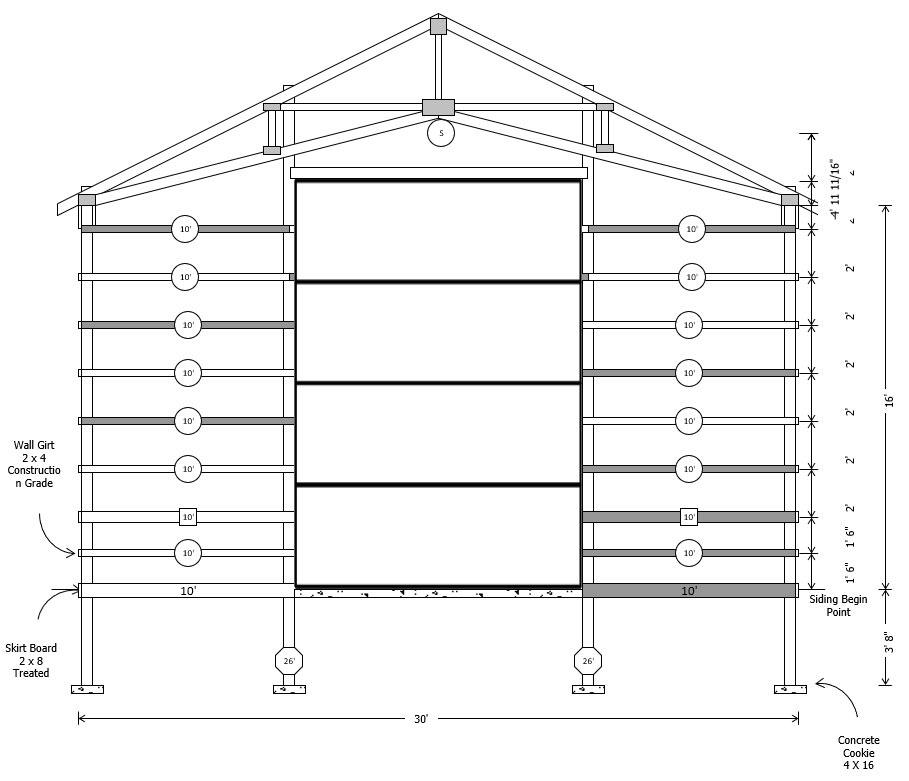
The software helps customers, builders, and engineers generate the basic drawings including foundation, columns with dimensions, and squaring information for layout to dig holes. CAD files are available to hand to the engineer allowing them to zoom in and out and see the first level of the house and the interior. The program can help a person create a complex design, which can include varied roof pitches, custom spacing of columns, and more in about twenty-five minutes. At output, a 3D dimensional Sketch-up file can be generated. If you export the file to Sketch-Up architectural and interior design software, you can add details like appliances, cars, and furniture, and create a very realistic visual.
SmartBuild will tell the builder what they need in order to build their project, however, if a project requires an engineer’s seal, as city hall often stipulates, the plan must be referred to an engineer.
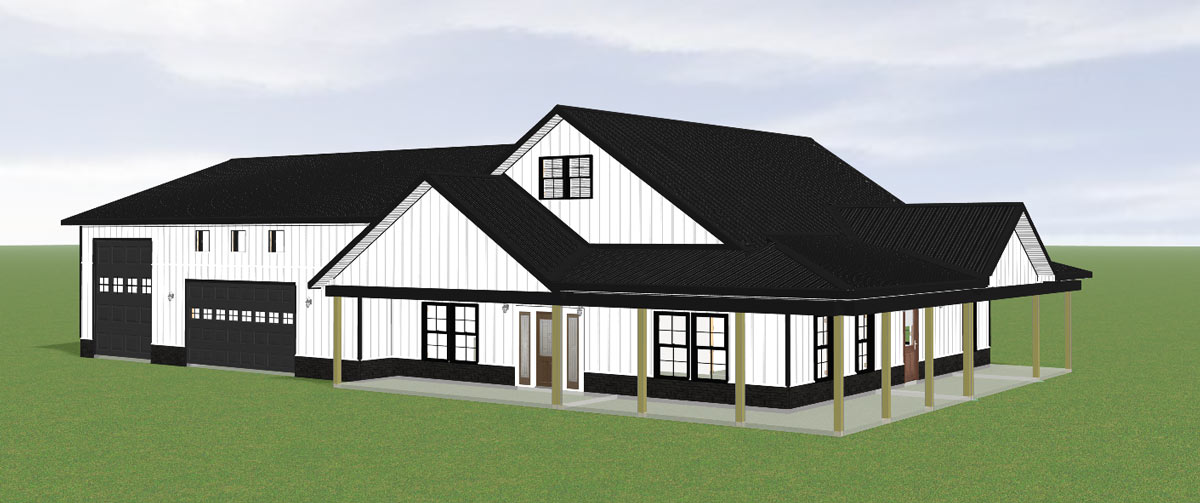
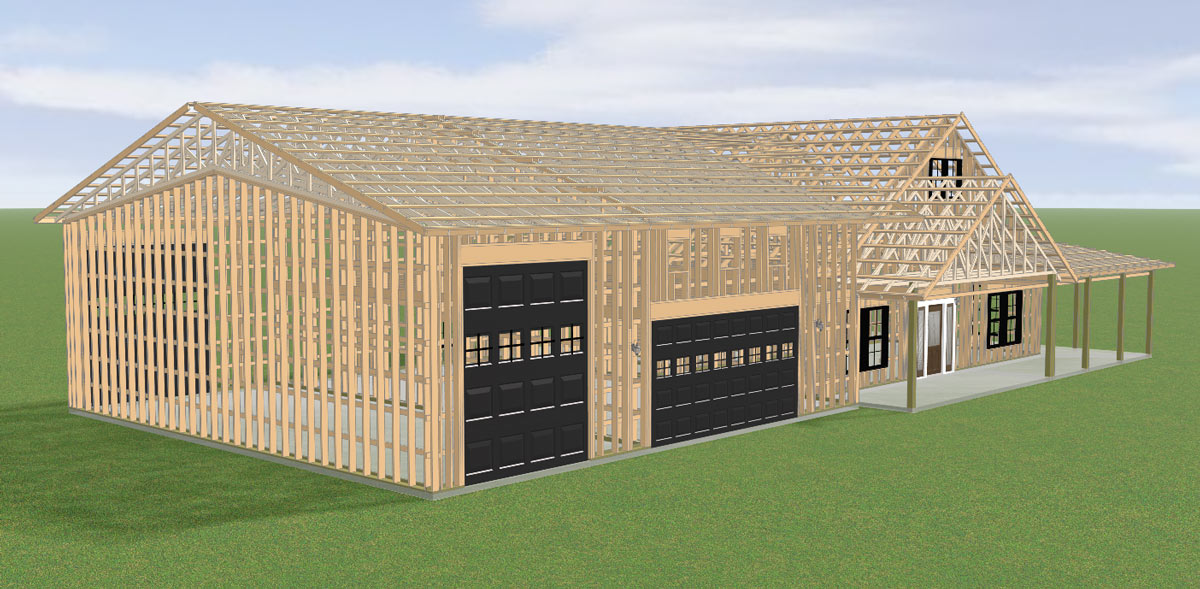
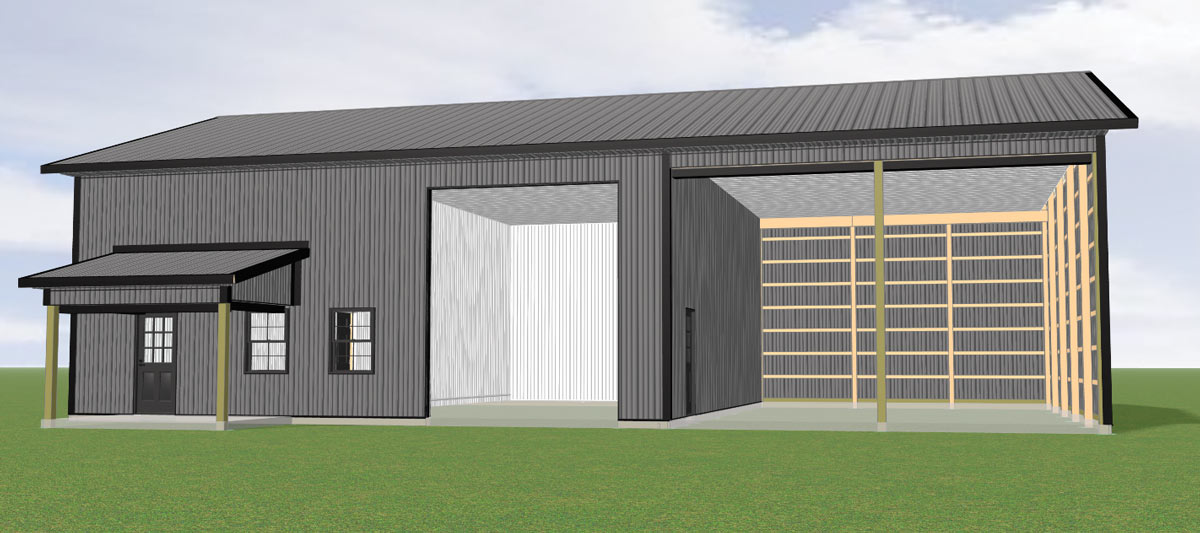
SmartBuild generated pages. Courtesy of SmartBuild Systems
Estimator
The estimation tool is based on the database that the builder loads into the software. The inventory and pricing are entered in the database, either based on a supplier’s numbering system or a numbering system the builder develops. This project can seem daunting to some builders, but a SmartBuild representative assists customers in accomplishing the database setup.
The documents that SmartBuild prints are:
• 3D Model — fully rotatable, realistic renderings of the building.
• 2D Elevations & Floor Plans — scaled drawings showing layout and exterior views.
• Perspective Views — for sales presentations and client approvals.
• Framing Layouts — post, purlin, girt, and truss placement drawings.
• Roof Plans — including slope, pitch, and truss/rafter details.
• Wall Layouts — stud, girt, and opening locations with dimensions.
• Detailed Cross-Sections — showing connections, dimensions, and materials.
• CAD Export Files — typically DWG and/or DXF, compatible with AutoCAD and other CAD programs.
• PDF Construction Drawings — for print or jobsite use.
• Material Takeoffs (Cut Lists) — every board, panel, and trim piece with dimensions.
• Bill of Materials (BOM) — organized list of all required materials, quantities, and specs.
• Pricing/Quoting Sheets — linked directly to material data for sales proposals.
• Purchase Orders — pre-formatted for suppliers, based on the BOM.
• Truss and Component Layouts — for prefabrication.
• Panel/Sheeting Layouts — cut diagrams for metal roofing and siding panels.
• CNC/Shop-Ready Files (for some integrations) — can feed directly into saws or roll formers.
Licensed Suppliers
If a builder’s suppliers are licensed users of SmartBuild, it simplifies things. For example, Graber Post is a licensed supplier. In fact, they have been working with the program before it even came onto the market — they were one of the product testers. Naturally when it went live in 2019, they bought a license. Now they have many licenses and their builders can access the software and their products through their license. This eliminates the need for builders to generate their own inventory numbers, and they have no price changes to make. The database is automatically updated by their supplier.
Learning to Use the Program
Like most computer software, it takes a little time to get used to the program and learn to use it proficiently. Initially, field reps help the customer get up and running. Usually within a few months contractors are using the program without giving it a second thought.
“SmartBuild makes builders’ lives easier,” said Delmar Wagler, Tech Support for SmartBuild users at Graber Post. “Some people who are hesitant about trying something new at first but go ahead and make the change come back a year later and say, ‘I don’t know what I did before SmartBuild.’”
Wagler went on to say that if builders visit prospective customers and build a building together in the visualizer, then print out the quote and drawings, it can help the builder make the sale because it’s all available immediately.
Computer Talk
This software can work with other programs to further streamline processes. An API app interface allows it to connect to and support accounting programs, rendering programs, or CRMs (Customer Relationship Management systems).
Into the Future
SmartBuild undergoes constant renovations; they come out with updates every four to six weeks, and Keith Dietzen of SmartBuild said he has a development team working to improve the program based on customer requests.
Paradigm-ERP System
An ERP (Enterprise Resource Planning) system ties together many disparate functions in a business, thereby ensuring that all of the departments involved have access to data – and that they all have the same data. This way, departments can more easily speak to each other and make decisions. Paradigm is one such system .
Paradigm was originally an ERP System customized for the roll-forming industry. However, the team at Paradigm saw that many contractors were working from a basic CRM, Quickbook, and various spread sheets, so they decided they needed to offer software to work for the industry adjacent to their roll-forming market: post-frame building. Now contractors can replace these fragmented forms of information to combine them into a single, centralized system.
The software provides CRM (Customer Relationship Management), job management, job costing, and inventory management; it’s a complete system for the hub of their operations. The program has no visualization tool, so they have teamed up with SmartBuild Systems. After the contractor creates a building in the visualizer, and the material list and proposal have been generated, they can be imported into Paradigm and tracked there. Then the invoicing, accounting, and pre-sales are handled for the contractor. There is a module to connect builders with suppliers and the ordering process runs very smoothly.
Anthony Martin, Manager at Paragon Computing Solutions [https://goparagon.com/], the developers of Paradigm software said, “This system is not sold as a plug and play; it takes some implementation. If a customer wants to use it to its full extent, it will replace their old accounting system and other systems they have in place. We work with the customer on getting the program set up and ready to go.”
Some of their customers are both roll formers and contractors in post-frame. In that case, they can choose either focus, but they are not locked out of features from the other program; they can add the modules needed.